 707c49dd3f
Complete website build including:
- Build Your Kit store page with cart system, sectioned layout
  (Hardware, Software, Attachments, Spare Parts), inline quote
  request form, and sticky sidebar summary
- 16+ pages: Education, Platform, Resources, News, About Us,
  Download, Contact, Rover, Code Editor, Robot Simulator, etc.
- 89+ MDX resource articles and 18 news posts
- Store product images scraped from micromelon.com.au
- Quote request API route with Airtable integration
- Dynamic back links and cover photos on resource pages
- Redesigned downloads page
- Fixed corrupted MDX code blocks
123 lines
6.5 KiB
Plaintext
123 lines
6.5 KiB
Plaintext
---
|
||
title: "Design Blog: Domino Layer"
|
||
date: "2024-12-31"
|
||
categories: ["Design Blog"]
|
||
tags: ["Design Blog", "3D Printing"]
|
||
excerpt: "My name is Binara, and I will be taking you through the entire design process of how I created the domino layer attachment. The original task was to develop an attachment for the rover to store and lay dominos in patterns coded by the user. Step 1: R"
|
||
featuredImage: "/images/resources/design-blog-domino-layer.jpg"
|
||
---
|
||
|
||

|
||
|
||
My name is Binara, and I will be taking you through the entire design process of how I created the domino layer attachment. The original task was to develop an attachment for the rover to store and lay dominos in patterns coded by the user.
|
||
|
||
---
|
||
|
||
## Step 1: Research
|
||
|
||
Every idea has to start somewhere, so the best way to get inspiration is to see what others have done. If your idea doesn’t exist, it can be helpful to break it up into smaller, existing ideas.
|
||
|
||
Here are some of the ideas I found out there for domino layers:
|
||
|
||

|
||
|
||
Most of these designs have the same core concept. They store the dominoes in a stack and shift them to the ground one by one. While they are not identical, all the designs are similar.
|
||
|
||

|
||
|
||

|
||
|
||
---
|
||
|
||
## Step 2: Ideation
|
||
|
||
Now that we have a couple ideas, it’s time to plan out how you will tackle the problem. Sometimes sketches are a great way to get ideas down on paper, which helps to get an idea of the whole picture.
|
||
|
||

|
||
|
||
---
|
||
|
||
## Step 3: Prototype
|
||
|
||
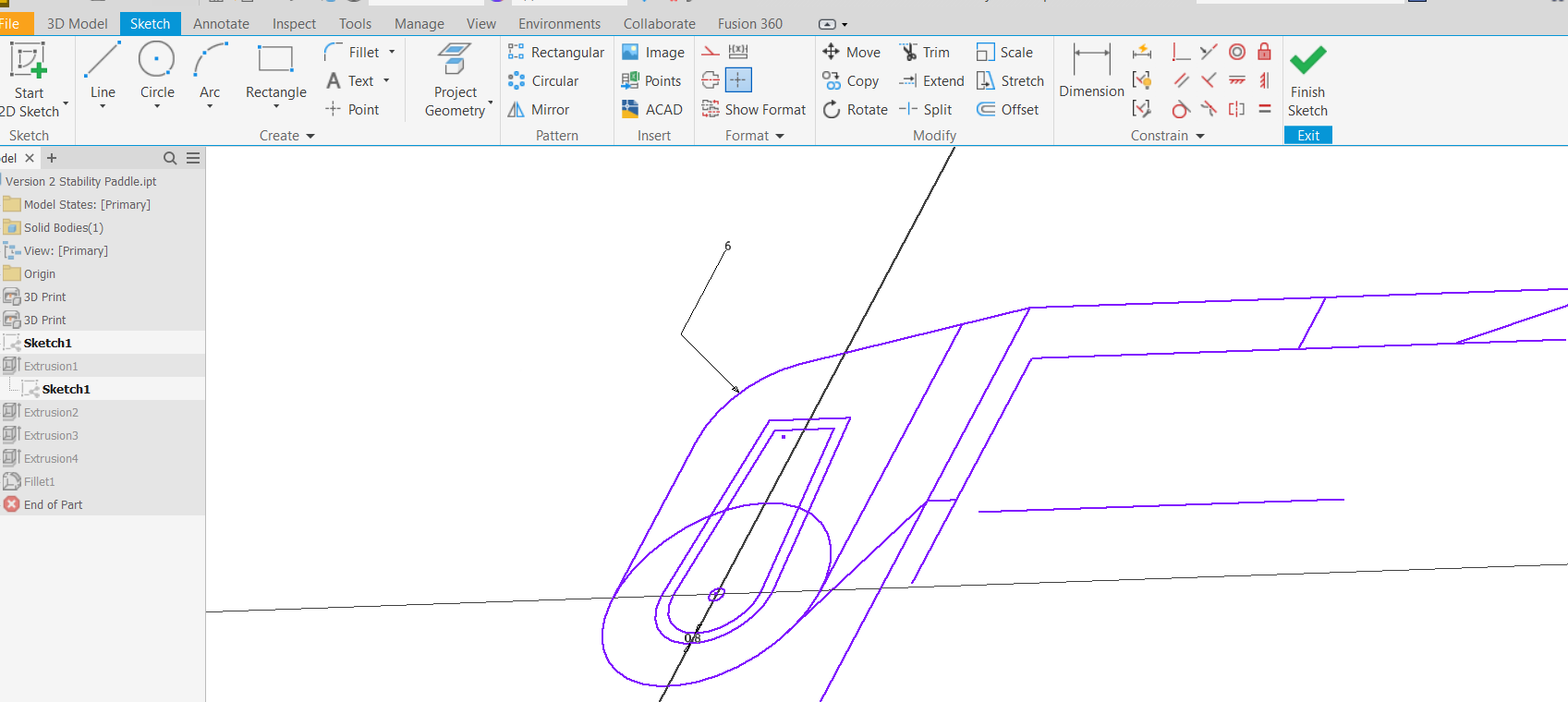
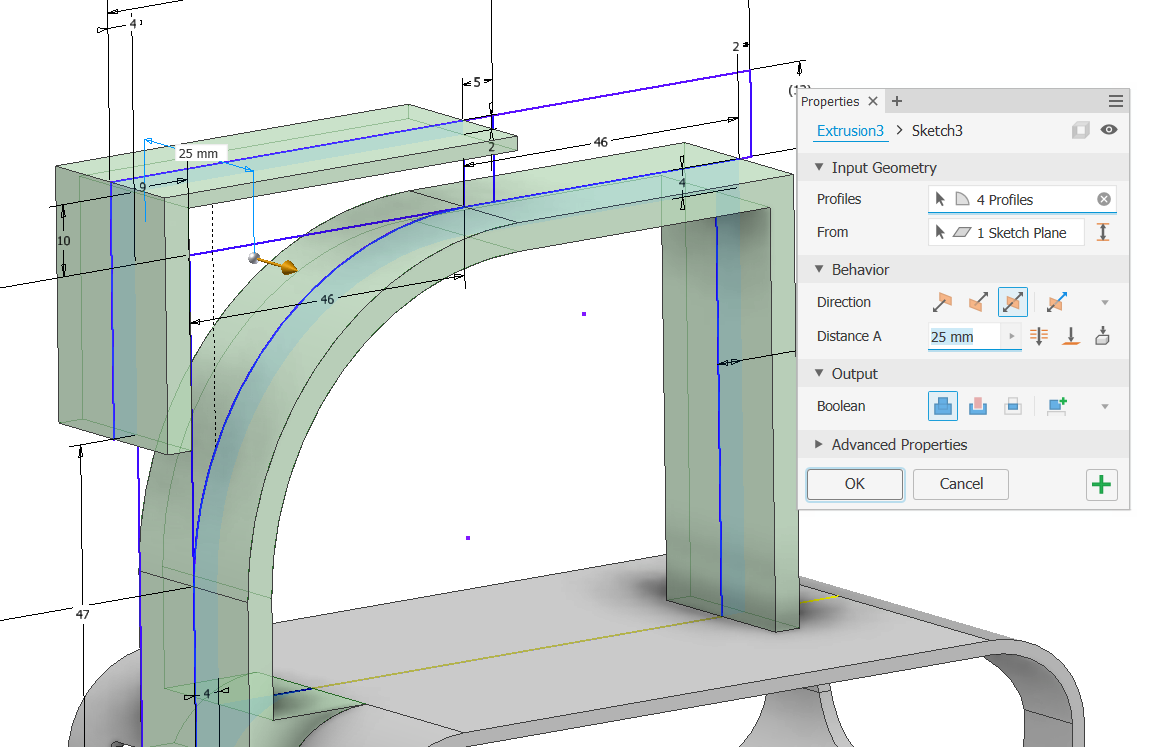
Pick a design and get started on it! Depending on how you make your creations, this part will differ for many. I planned on using 3D printing to prototype my domino layer. To design the parts, I used Autodesk Inventor to visualise and slowly build a printable model.
|
||
|
||

|
||
|
||
|
||
|
||
|
||
|
||

|
||
|
||
---
|
||
|
||
## Step 4: Iterate and Evaluate (Back to the drawing board)
|
||
|
||
Unfortunately, it’s very unlikely that idea number 1 will go exactly as you want, and I was no exception. The important thing is to sit down, grab a pen, and write down what was good and bad about your design. Think about what you would change if you could build it again.
|
||
|
||
After that, go back to step 3 and give it another shot!
|
||
|
||
While thousands of tiny changes may be made along the way, a new version isn’t made until there is a significant change in how the design works.
|
||
|
||
**Version 1:**
|
||
|
||
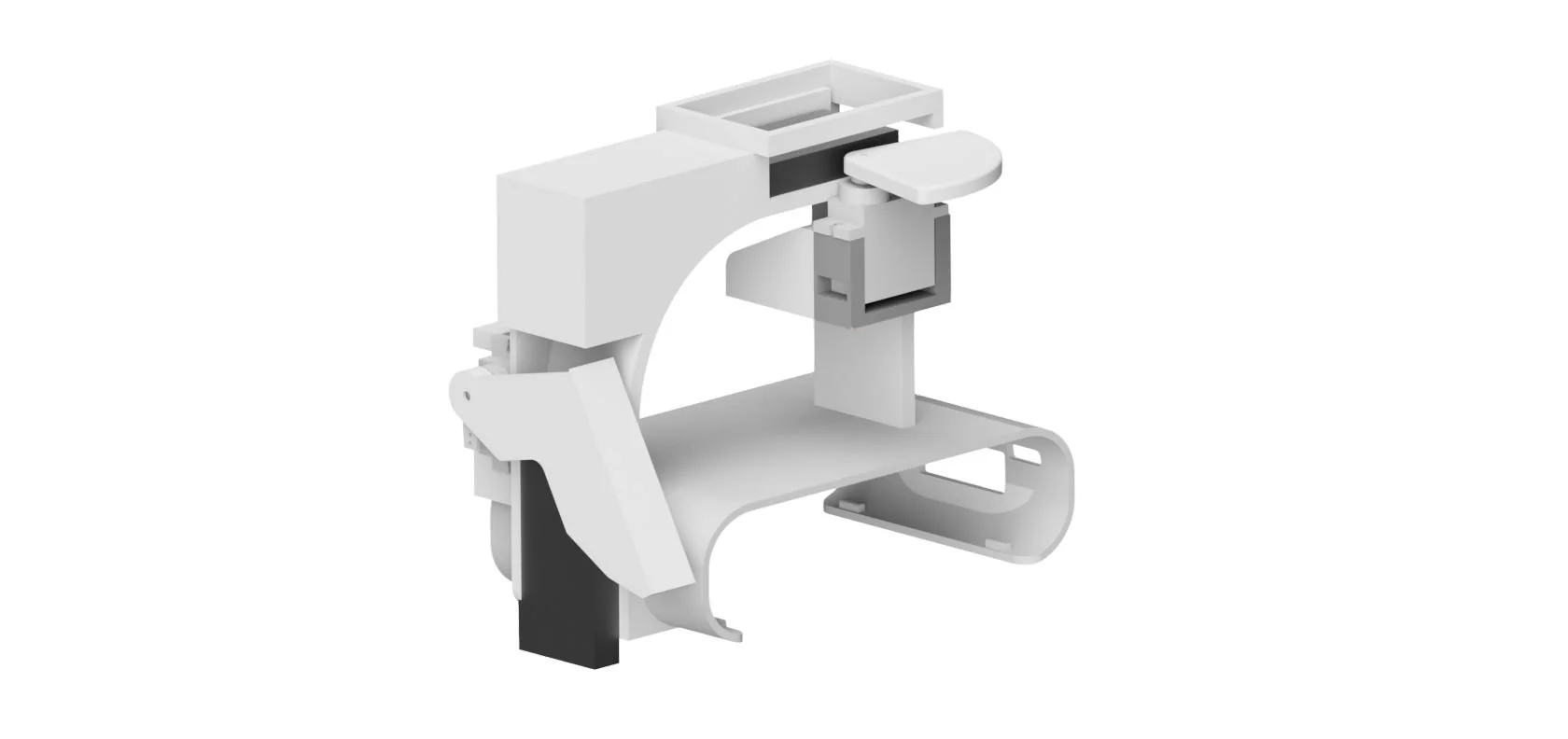
Here we’ve got the dominoes coming in from the top. The paddle spins around and knocks a domino down into a slide. The domino then slides down to a door on a servo. The door is needed to prevent the dominoes from falling over from the impact of hitting the ground.
|
||
|
||
|
||
|
||
Notes to fix for the following design:
|
||
|
||
- The door wasn’t working perfectly as some dominos fell over after being placed.
|
||
|
||
- The domino ejecting servo sometimes got stuck on dominoes due to the angle from which it transfers force.
|
||
|
||
- Dominoes were known to jam on the door on their way out and get stuck.
|
||
|
||
- The screen is not visible with the attachment on.
|
||
|
||
**Version 2:**
|
||
|
||
We’ve added a cut-out in the body to read the screen. Also, the door was changed entirely. It was noticed in the last design that dominoes may still fall over despite the door being closed. This new door can now squeeze a domino against itself to ensure it’s standing upright.
|
||
|
||

|
||
|
||
Notes to fix for the following design:
|
||
|
||
- The door wasn’t working perfectly as some dominos fell over after being placed.
|
||
|
||
- The domino ejecting servo sometimes got stuck on dominoes due to the angle from which it transfers force.
|
||
|
||
- Dominoes were known to jam on the door on their way out and get stuck.
|
||
|
||
- The screen is not visible with the attachment on.
|
||
|
||
**Version 3:**
|
||
|
||
This significant change removed the paddle and replaced it with a sliding mechanism that moved back and forth. When it comes forward, it pushes a domino into the slide. And when it pulls back, the next domino will fall into position.
|
||
|
||

|
||
|
||

|
||
|
||
Notes to fix for the following design:
|
||
|
||
- The door wasn’t working perfectly as some dominos fell over after being placed.
|
||
|
||
- The domino ejecting servo sometimes got stuck on dominoes due to the angle from which it transfers force.
|
||
|
||
- Dominoes were known to jam on the door on their way out and get stuck.
|
||
|
||
- The screen is not visible with the attachment on.
|
||
|
||
---
|
||
|
||
## Step 5: Finalise
|
||
|
||
And finally, after many, many iterations, the design works. Now all that’s left is to consider a couple options to make your design perfect in the future. Some considerations could be:
|
||
|
||
- **Ease of Assembly: **How easy is it to put the design together? Maybe screws could hold a part better than glue, or you could add a space near a bolt to easily get a tool into it.
|
||
|
||
- **Cost: **How much material does it use? There may be a way to use less plastic or cardboard. Is there another way to orient the model to make the prints faster?
|
||
|
||
- **Aesthetic: **How does it look? Yes, we also enjoy looking at the finished product and thinking, ‘Wow, that looks awesome’. You could change the shape of the design to look more professional. Add a logo? Maybe coordinate the colour of your prints to make the appearance really pop.
|